How To Add a Hosted Exchange Account to IOS7

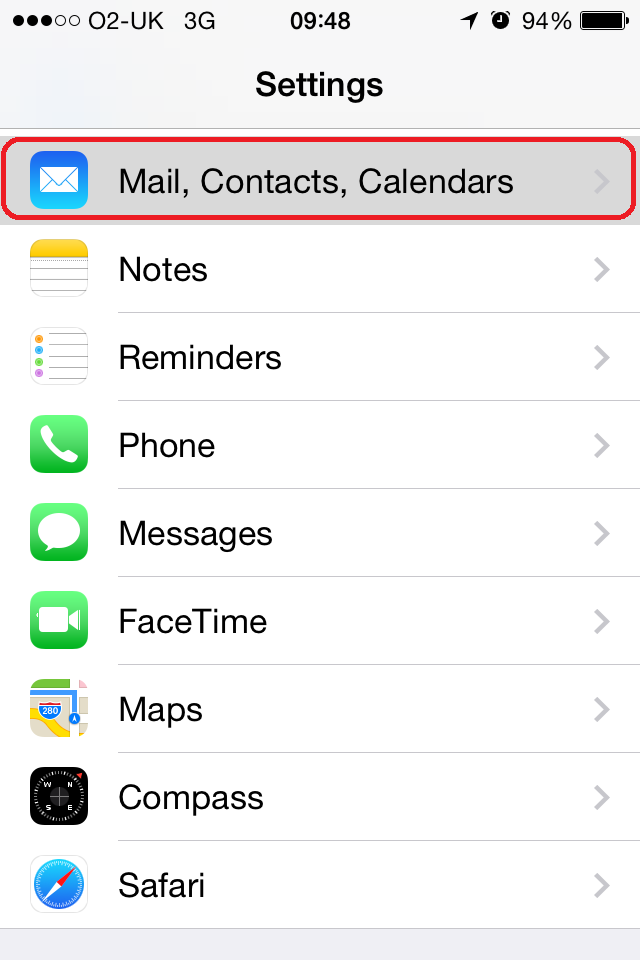
1. Go to Settings – then Mail,Contacts, Calendars.

hosted exchange

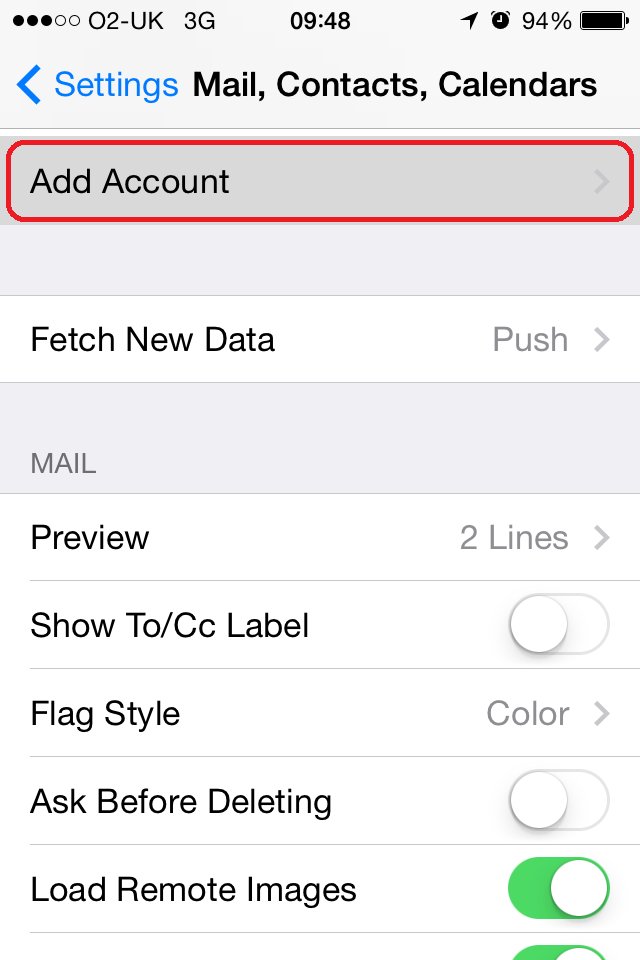
2. Add Account

hosted exchange add account ios7


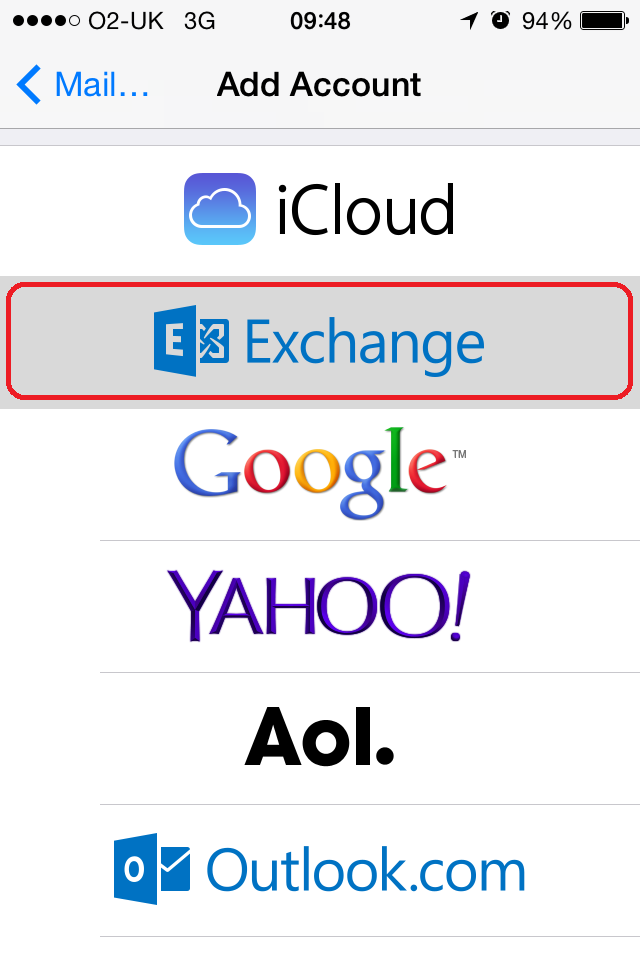
3. Select Exchange – Microsoft Exchange is a fully synchronised email contacts and calender system. It can be added to multiple devices and benefits from perfect synchronisation including your Microsoft Outlook software at work.

exchange ios 7 hosted exchange


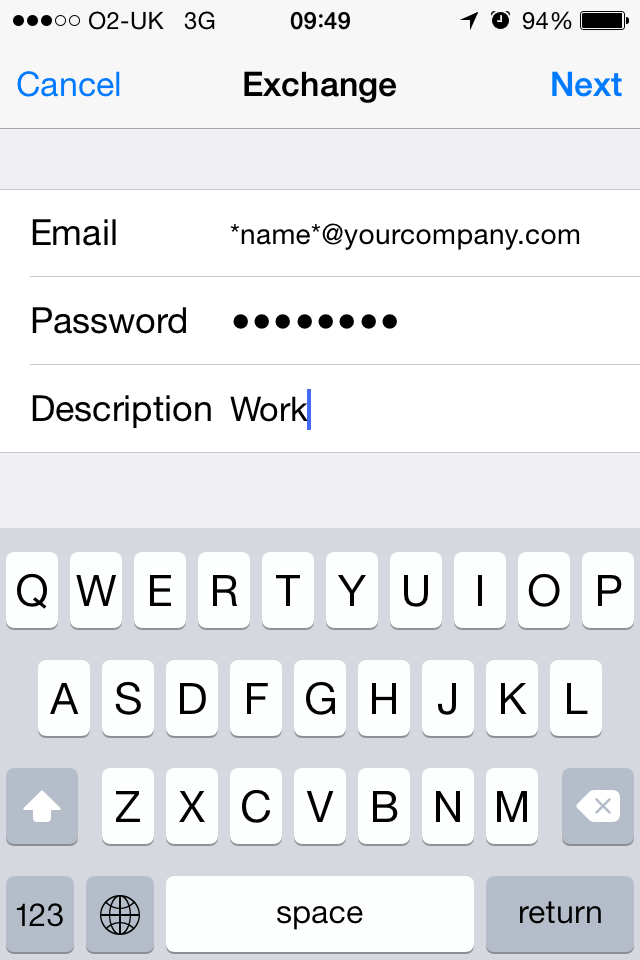
4. Next type in your email details provided by us or your IT Manager.

Email Details Hosted Exchange

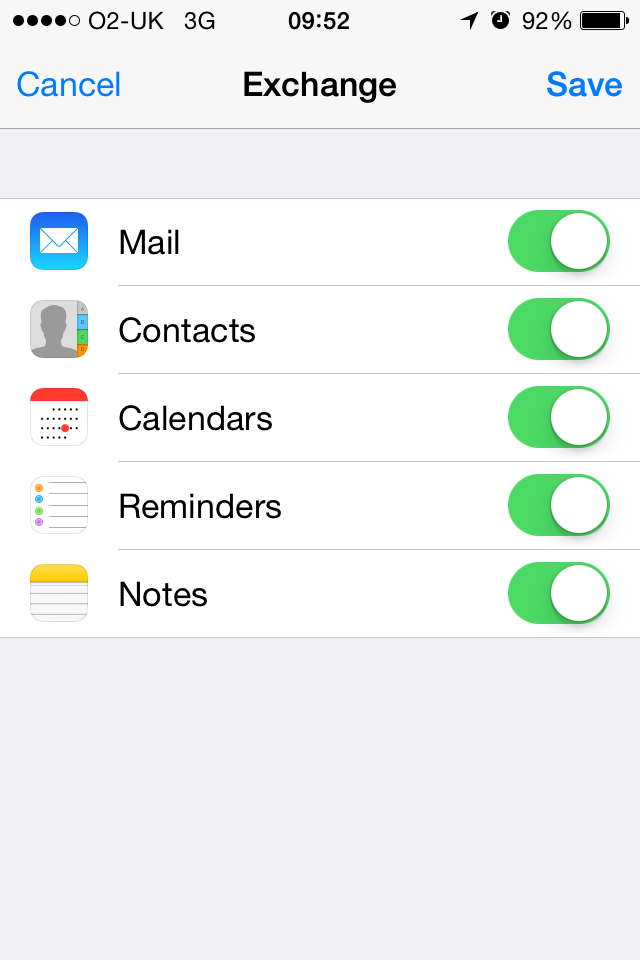
5. Finally – Please choose which items you would like to synchronise. If you have calendar appointments and contacts on your outlook email at work these will sync across also.

Hosted Exchange

Our Blog

What Is Microsoft Intune? How It Works, Features and Benefits

AGT - What Is Microsoft Intune? How It Works, Features and Benefits

EDR vs Antivirus vs XDR: Key Differences and Which Is Right for Your Business?

AGT - EDR vs Antivirus vs XDR: Key Differences and Which Is Right for Your Business?

Why Is Cyber Security Important For UK Businesses?

AGT - Why Is Cyber Security Important For UK Businesses?

What Is Tailgating In Cyber Security?

AGT - What Is Tailgating In Cyber Security?